SDM Documentation
Standard Mode
Standard Mode
Create data flows using the step-by-step wizard
Standard Mode
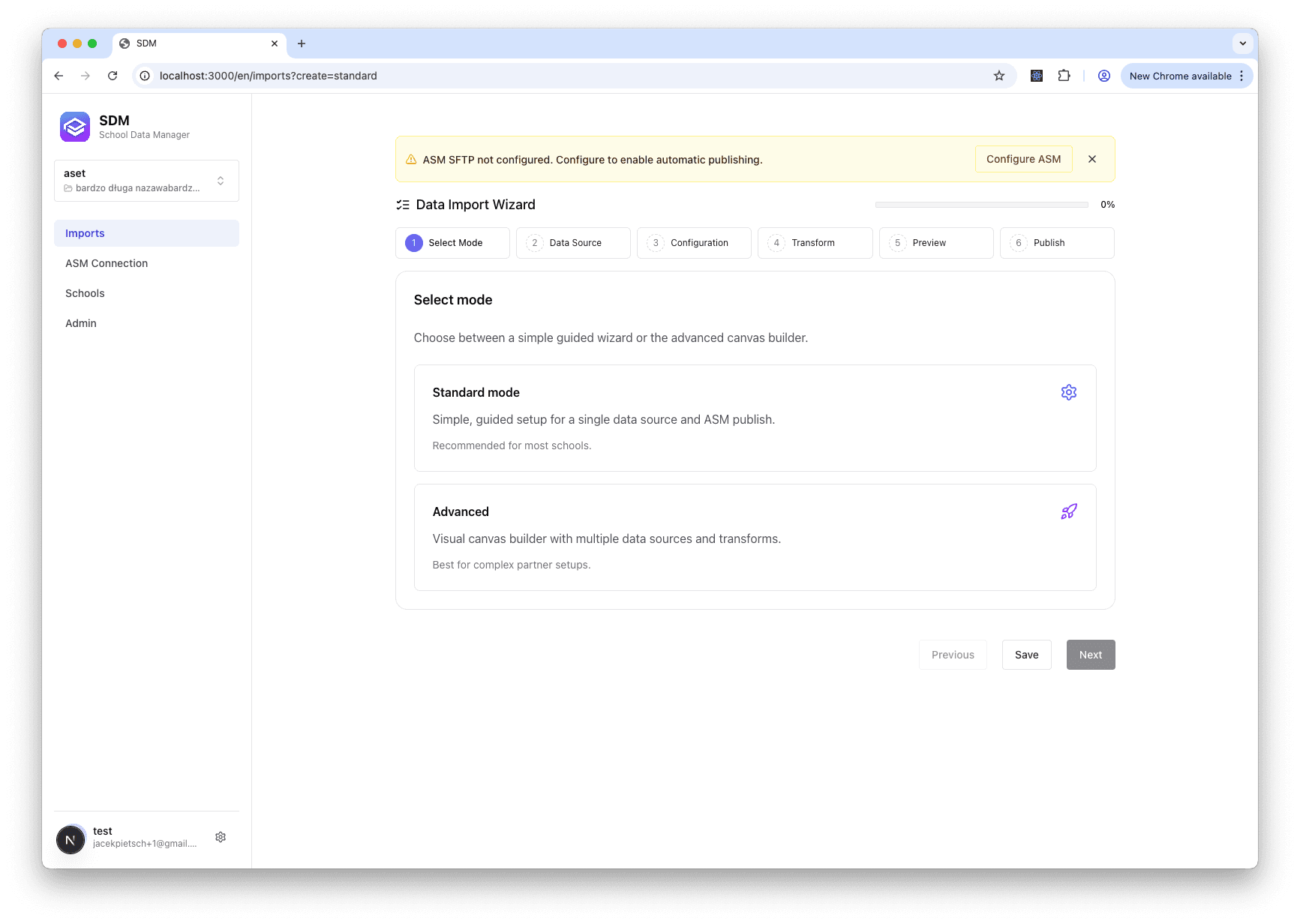
Standard Mode provides a guided, step-by-step wizard for creating data flows. It's the recommended approach for most users.
What is Standard Mode?
Standard Mode walks you through each step of creating a data flow:
- Select Data Source - Choose where your data comes from
- Configure Source - Set up credentials and options
- Transform Data - Optionally consolidate or edit data
- Preview - Review data before publishing
- Publish - Send data to Apple School Manager
When to Use Standard Mode
Standard Mode is best for:
- First-time users learning SDM
- Simple data flows with one source
- Quick setup without complex transformations
- Schools managing their own data
Wizard Steps
Step 1: Select Source
Choose your data source type
Step 2: Configure
Set up your source connection
Step 3: Transform
Optional data transformations
Step 4: Preview
Review your data
Step 5: Publish
Send to Apple School Manager
Standard vs Advanced Mode
| Feature | Standard Mode | Advanced Mode |
|---|---|---|
| User interface | Step-by-step wizard | Visual flow editor |
| Learning curve | Low | Higher |
| Multiple sources | No | Yes |
| Complex transformations | Limited | Full support |
| Best for | Most users | IT professionals |
See Advanced Mode for complex multi-source workflows.
Need multiple data sources or complex transformations? See Advanced Mode for the visual flow editor.
The Wizard Interface