 SDM Documentation
Advanced Mode
Advanced Mode
Visual flow editor for complex data pipelines
Advanced Mode
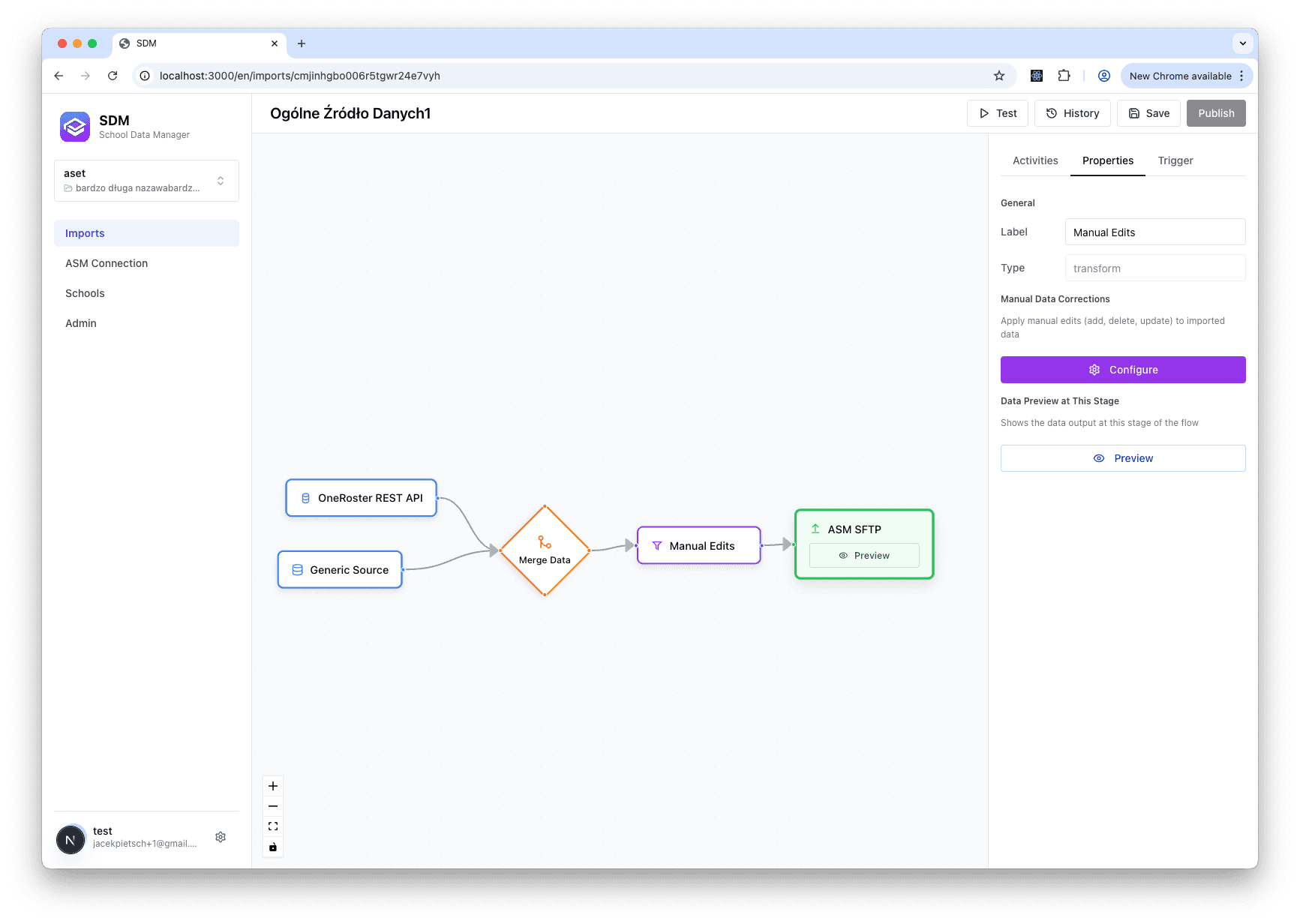
Advanced Mode provides a visual flow editor for creating complex data pipelines with multiple sources and transformations.
What is Advanced Mode?
Advanced Mode uses a visual graph editor where you can:
- Connect multiple data sources - Combine SIS data with CSV overrides, merge data from different school systems
- Chain transformations together - Apply consolidation first, then manual edits in sequence
- Handle merge conflicts - When the same user exists in multiple sources, define which source takes priority
- Visual debugging - See exactly where data flows and identify bottlenecks at each step
- Build reusable pipeline templates - Save complex flows for reuse across schools
What's Possible in Advanced Mode
Multi-Source Data Integration
Combine data from different systems in a single flow. For example:
- Primary SIS data from OneRoster API
- Override corrections from a CSV file
- Merge both into a single dataset before publishing
Complex Transformation Chains
Apply multiple transformations in sequence:
Source → Consolidation → Manual Edits → PublishConflict Resolution
When the same entity (user, class) exists in multiple sources, the Merge node lets you define which source wins.
When to Use Advanced Mode
Use Advanced Mode When:
- You need multiple data sources in one flow
- Complex transformation chains are required
- You want visual control over the data pipeline
- Merging data from different systems
- Debugging complex data flows
Use Standard Mode When:
- Single data source is sufficient
- Simple transformations (or none)
- You prefer guided, step-by-step setup
In This Section
Flow Editor
Learn the visual editor interface
Nodes and Edges
Understand source, transform, and publish nodes
Multi-Source Flows
Combine data from multiple sources
Limitations
What Advanced Mode can't do (vs Standard)
Advanced Mode has a steeper learning curve. We recommend starting with Standard Mode if you're new to SDM.