 SDM Documentation
Partners
Partner Link
Reusable registration link for schools
Partner Link
The Partner Link is a reusable URL that schools can use to self-register.
What is a Partner Link?
Instead of creating each school manually, share a link that allows schools to:
- Register themselves
- Automatically associate with your partner account
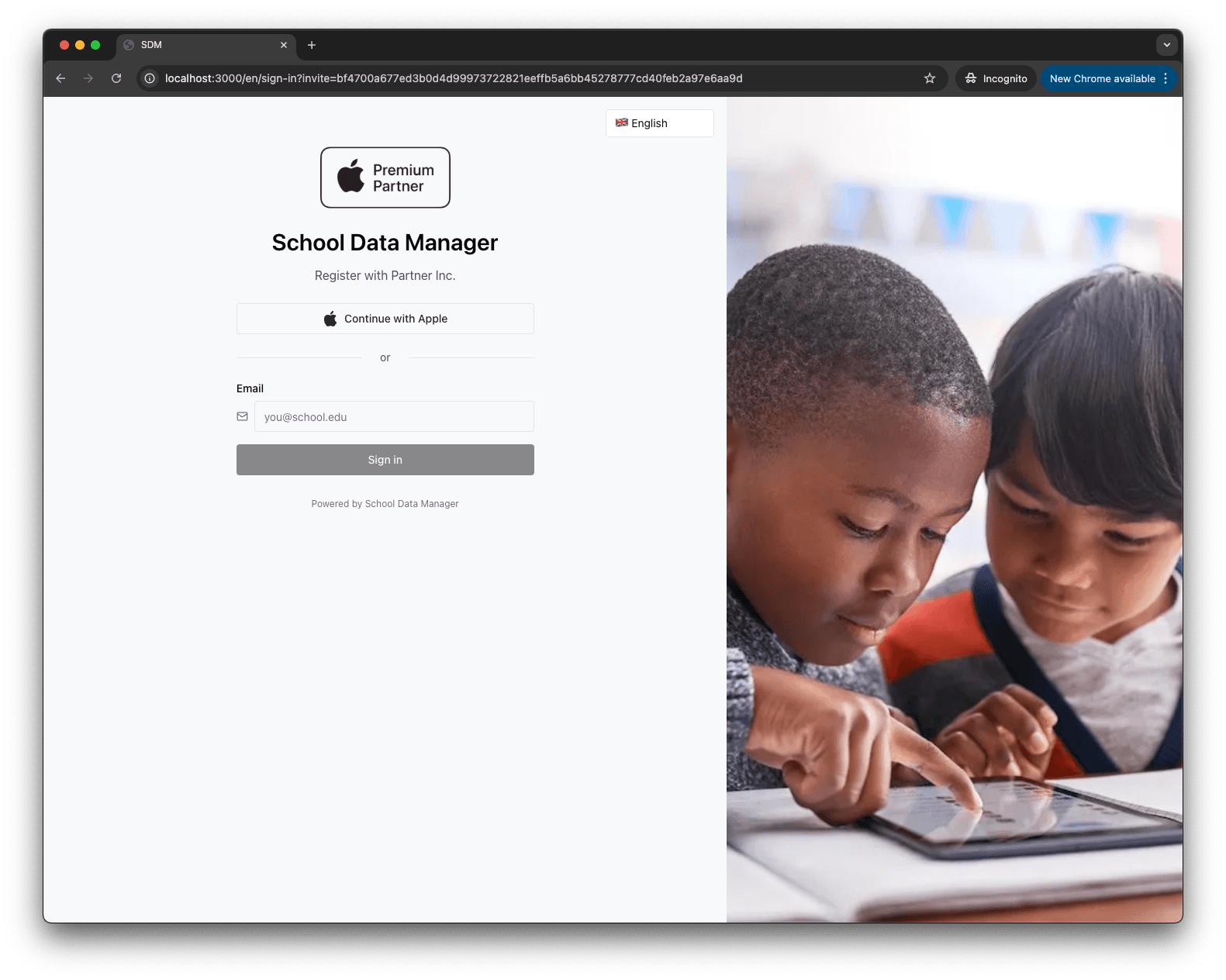
- See your branding during registration
Creating a Partner Link
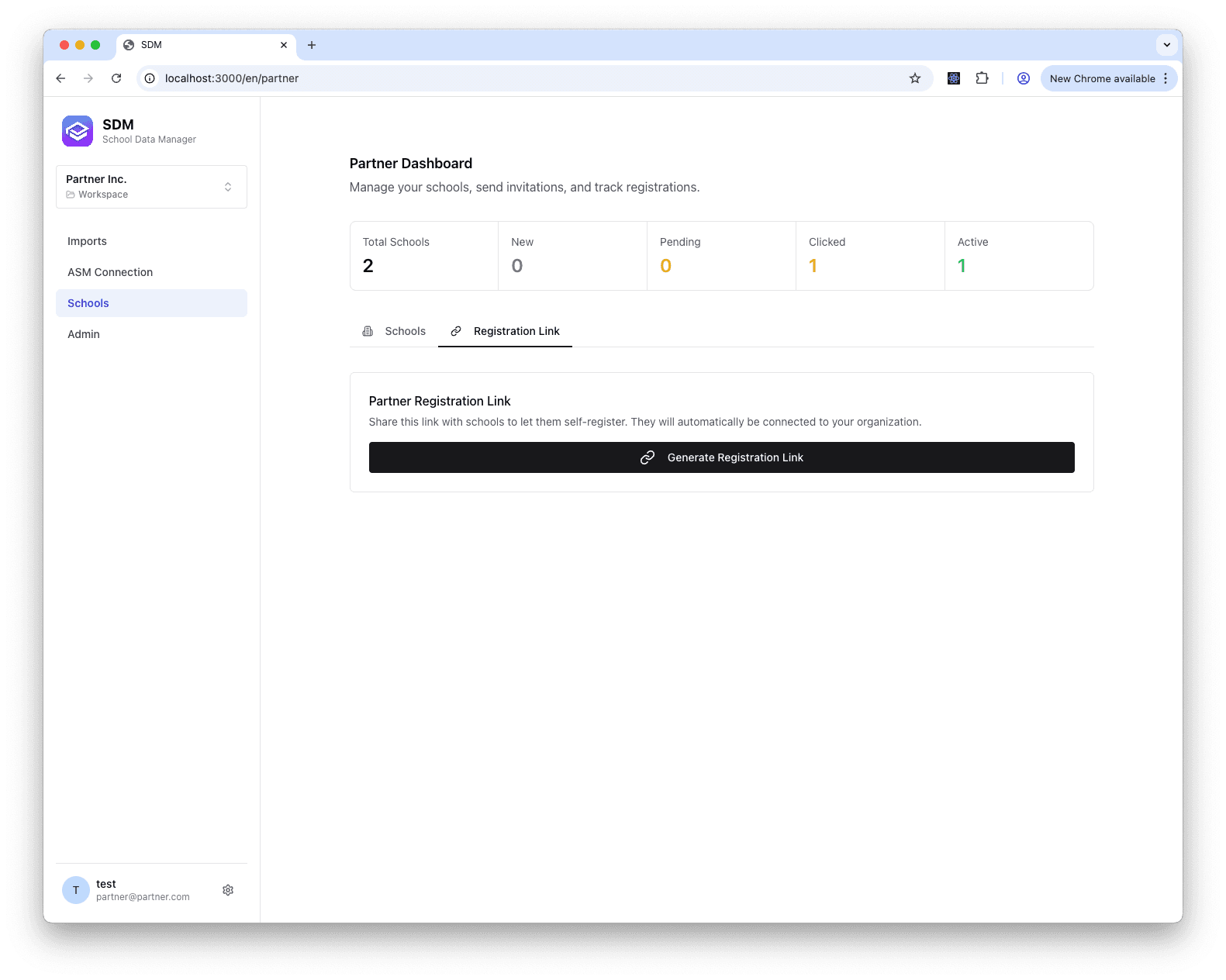
- Go to Partner Dashboard
- Click the Registration Link tab
- Click Generate Registration Link
- Copy the URL
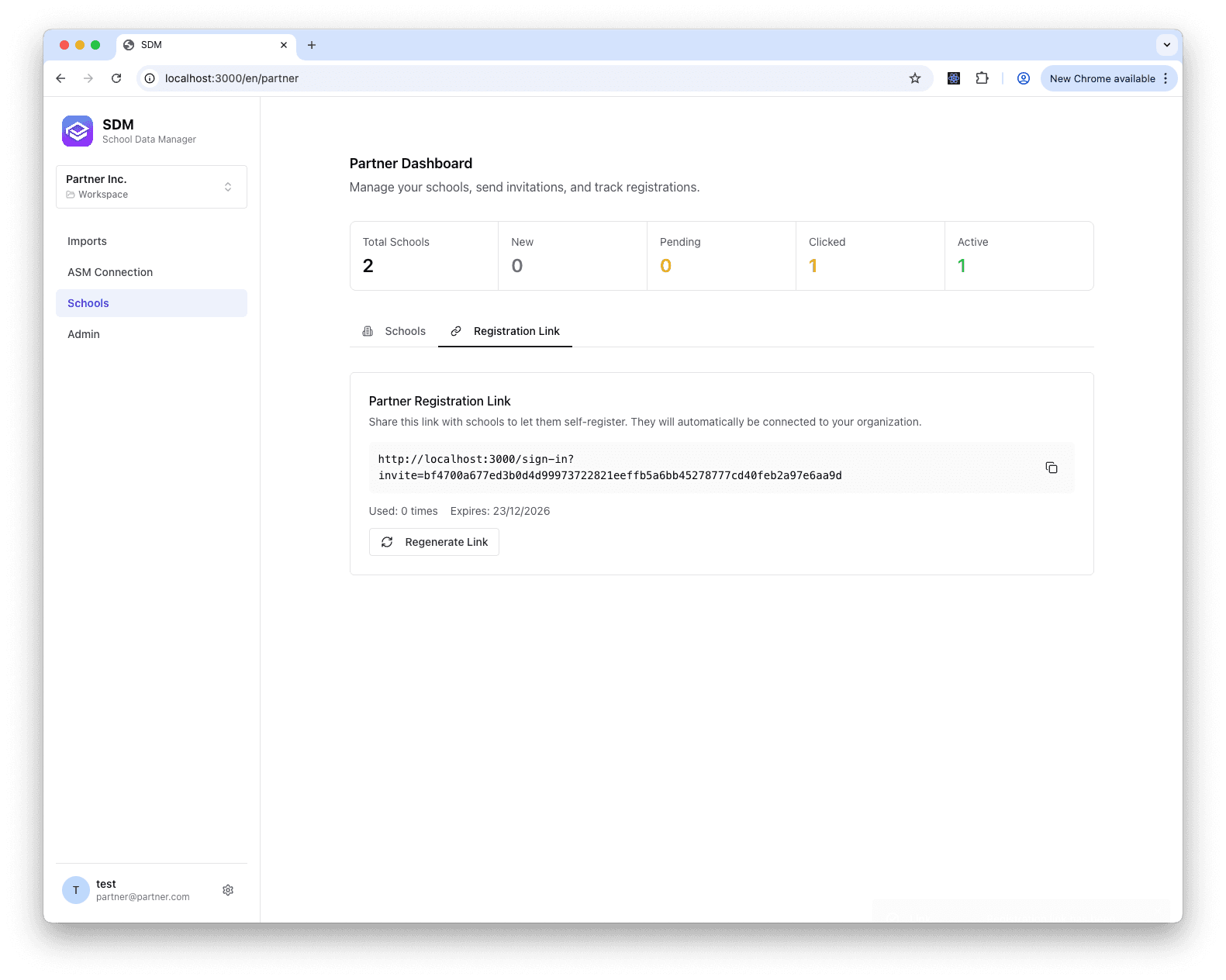
Once generated, your link will be displayed with usage statistics and expiration date:
Sharing the Link
Share the link via:
- Website
- Documentation
- Marketing materials
How Schools Use It
- School clicks your partner link
- Registration page shows your branding
- School completes registration
- School appears in your dashboard as ACTIVE
Managing the Link
Regenerate Link
If link is compromised:
- Click Regenerate
- Old link stops working
- New link is created
View Usage
Track how many schools registered via the link.
Best Practices
- Include link in onboarding materials
- Regenerate if shared publicly and compromised
- Monitor for unexpected registrations