 SDM Documentation
Partners
Creating Schools
Add schools manually or via CSV import
Creating Schools
Partners can create school accounts for their clients.
Manual Creation
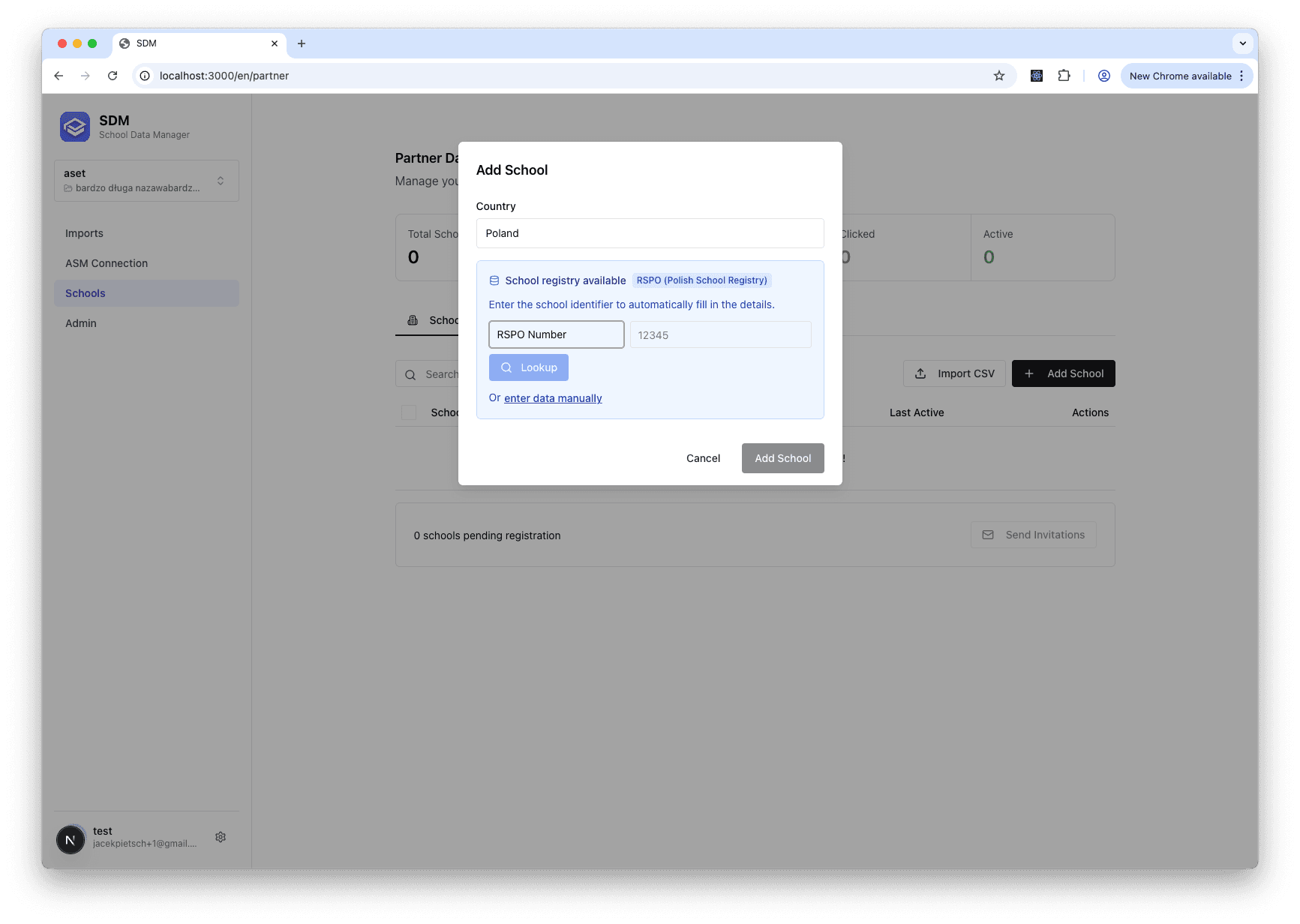
- Go to Partner Dashboard
- Click Add School
- Fill in school details:
- School name
- Address (street, city, zip, country)
- Contact information (name, email, phone)
- Registry ID (e.g., RSPO for Poland)
- Business ID (tax number)
- Click Create
CSV Import
Download Template
- Click Import Schools
- Click Download Template
- Open CSV in spreadsheet software
Fill Template
Required columns:
name- School nameemail- Contact emailcity- City
Optional columns:
street,zip,countrycontactName,phoneregistryId,businessId
Upload CSV
- Click Import Schools
- Upload your CSV file
- Review parsed data
- Click Import
School Status After Creation
New schools have status NEW:
- Not yet invited
- Can be edited
- Ready for invitation
Duplicate Detection
SDM checks for duplicates using:
- Registry ID (e.g., RSPO)
- Business ID (tax number)
Duplicates are flagged and prevented.
School Details Form
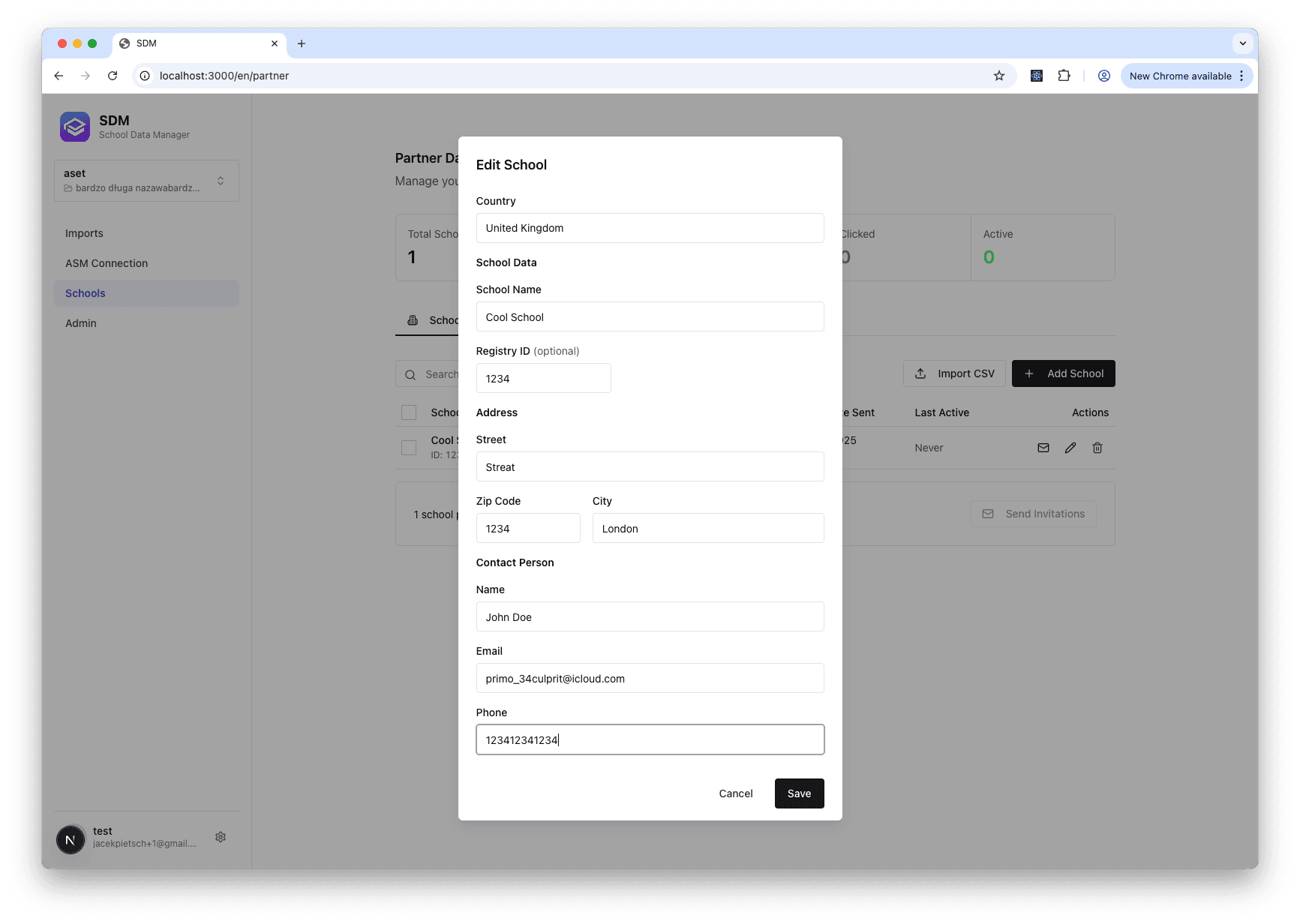
The school details form allows you to enter complete information about a school including address and contact person.