 SDM Documentation
Settings
Configure your profile, organization, and preferences
Settings
The Settings dialog allows you to manage your personal profile, organization settings, workspaces, branding, language preferences, and notifications.
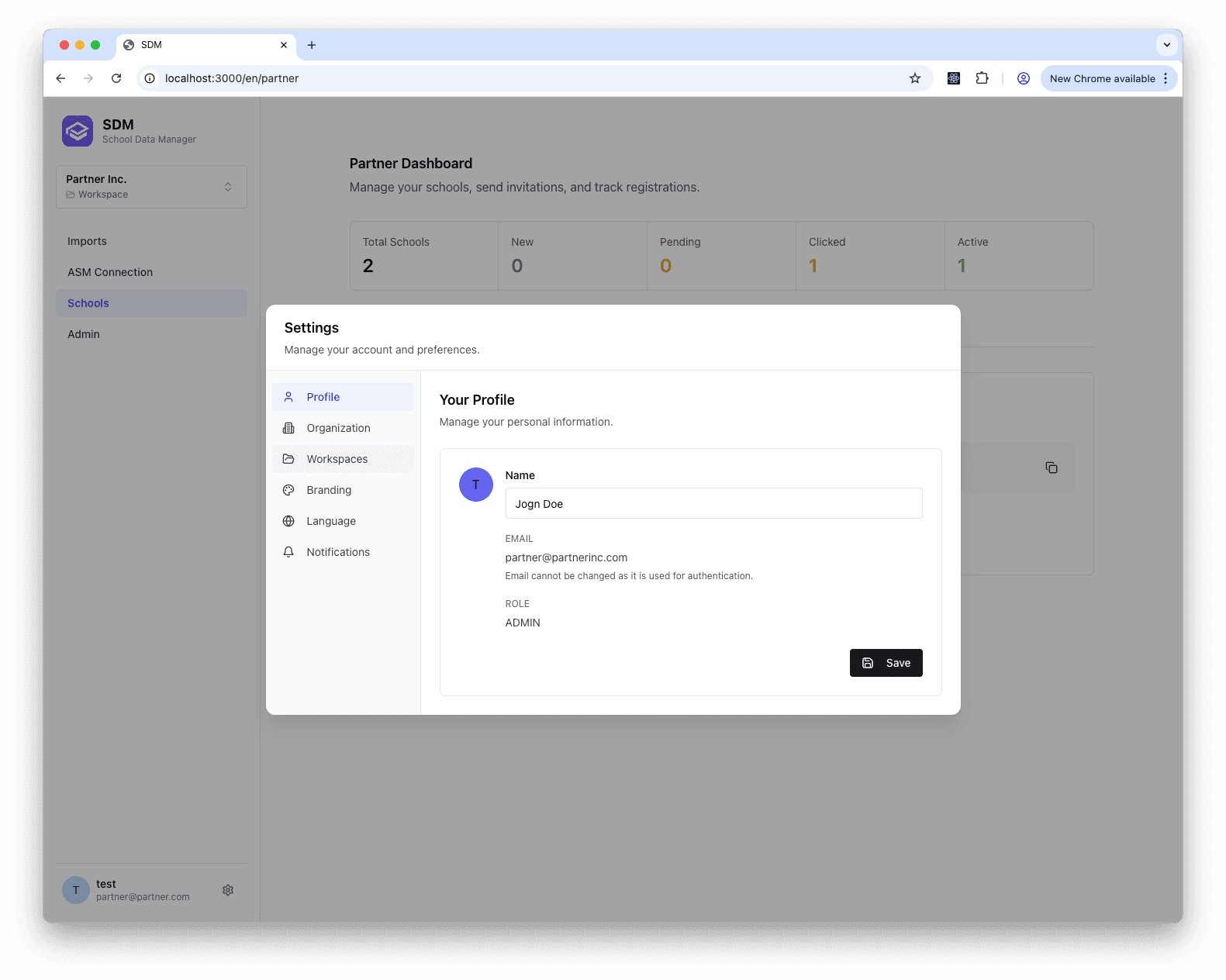
Accessing Settings
Click on your profile avatar in the bottom-left corner of the sidebar, then select Settings.
Settings Sections
Profile
Manage your personal information:
- Name - Your display name shown throughout SDM
- Email - Your login email (read-only, used for authentication)
- Role - Your current role in the organization (read-only)
Organization
View and manage organization details (admin only):
- Organization Name - Your school or partner name
- Organization Type - School or Partner
- Contact Information - Primary contact details
Workspaces
Manage your ASM workspace connections:
- View all workspaces you have access to
- Switch between workspaces
- See workspace sharing status
For more details on workspaces, see Workspaces.
Branding
Customize your organization's appearance (partners only):
- Logo - Upload your organization logo (displayed on sign-in and onboarding pages)
- Brand Color - Hex color code for your brand accent (e.g.,
#FF5500) - Welcome Content - Markdown-formatted message shown to schools during onboarding
- Support Card - Custom HTML template displayed in the school dashboard, with placeholders:
{{LOGO}}- Your uploaded logo{{PARTNER_NAME}}- Your organization name{{BRAND_COLOR}}- Your selected brand color{{CONTACT_EMAIL}}- Your contact email
A live preview shows how your welcome content and support card will appear to schools. The support card HTML is sanitized for security.
Language
Set your preferred language for the SDM interface:
- English (en)
- Polski (pl)
- Deutsch (de)
- Français (fr)
- Español (es)
- Italiano (it)
The interface will automatically update to your selected language.
Notifications
Configure email notification preferences:
- Import Completion - Get notified when imports finish
- Publishing Status - Get notified on publish success/failure
- School Registrations - Get notified when schools register (partners)
- System Updates - Receive product announcements
Saving Changes
Click Save to apply your changes. Some settings (like language) take effect immediately.